FabIQ’s file upload experience has been completely overhauled; faster, smarter, and more flexible than before. Processing is quicker, file name mapping is more intelligent, and you can now merge individual changes into existing designs without overwriting everything. On top of that, FabIQ automatically extracts design specifications and custom stack-up information from any standard PDF you upload.
Importing design files used to mean guesswork; scrambled layer mappings, missed BOMs, and a constant fear of overwriting good work. We’ve rethought the entire flow. Here’s what’s new.
10x Faster Uploads
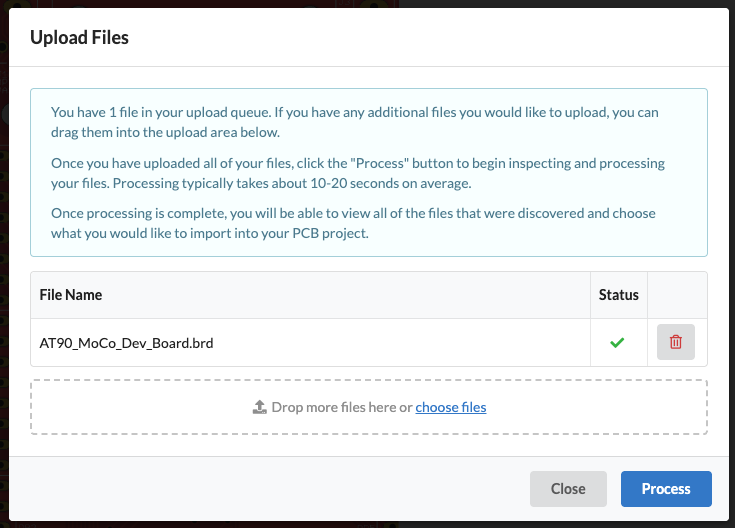
The entire upload and import process is 10x faster than before. From uploading your design files to a fully configured PCB with specs applied in as little as 30 seconds.
Automatic PDF Stack-Up Parsing
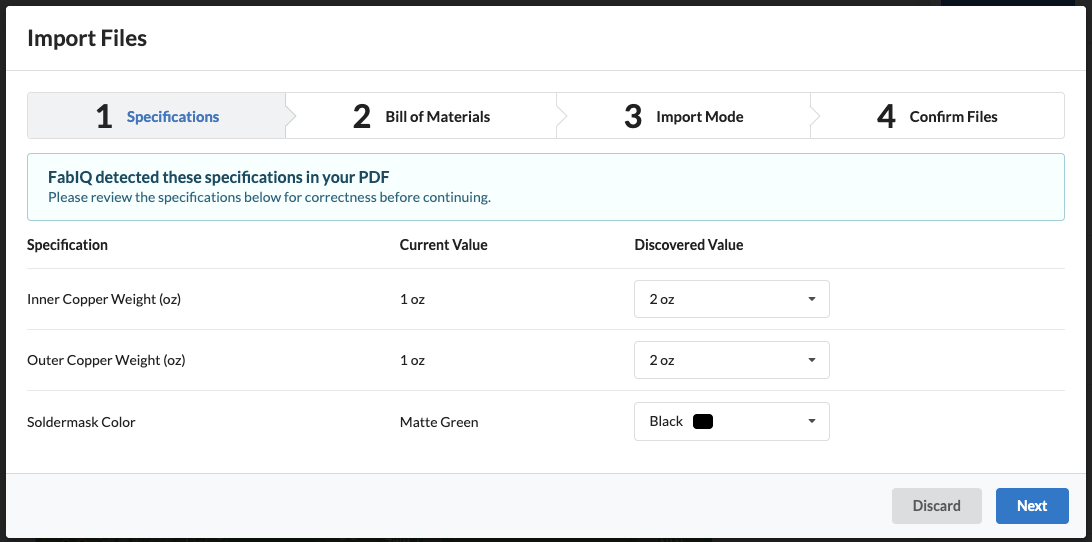
If you included a PDF in your upload, FabIQ reads it and surfaces any board specifications and custom stack-up information it found. You’ll see your current values alongside the discovered values, and you decide which ones to keep. No manual re-entry, no cross-referencing documents; it’s all pulled automatically from any standard PDF you upload.
Improved Layer Mapping
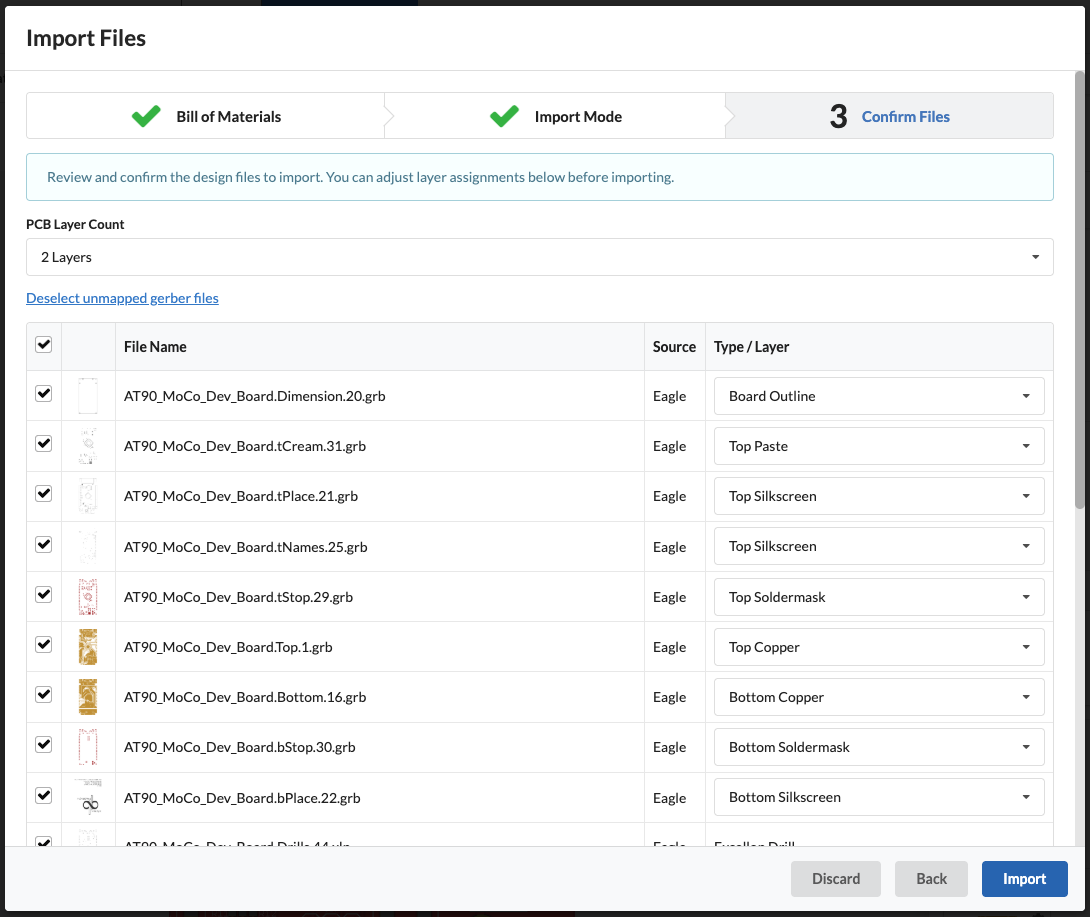
Before anything is written to your project, you get a full table of every file we found complete with the layer type we auto-detected. Common Gerber naming issues are now handled more accurately than before, so most files will land in the right place automatically. Everything is pre-selected, but you can uncheck individual files or reassign their layer type using the dropdown in just a few clicks.
Isolate Changes
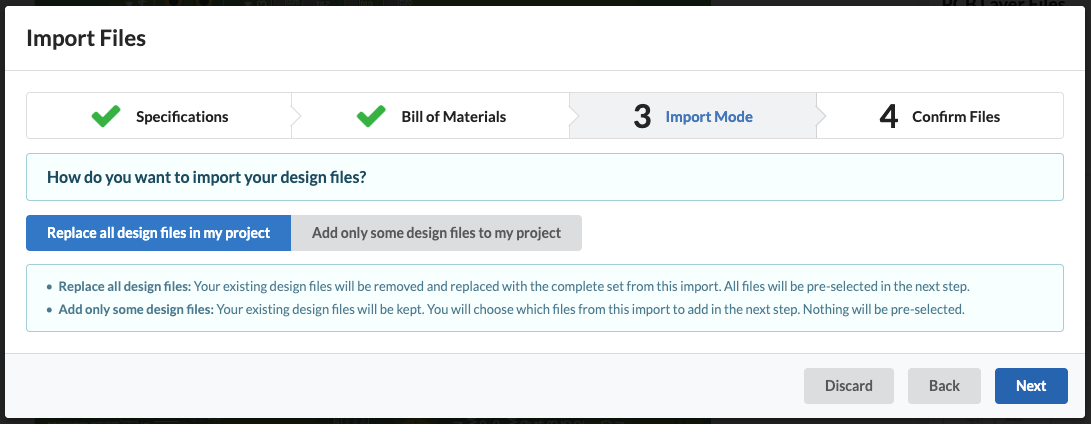
When uploading files to an existing design, you no longer have to overwrite everything just to make a minor update. Choose how new files interact with your existing project; replace everything or bring in only what changed.
Replace all design files: Your existing files are removed and replaced with everything from this upload. You’ll end up with exactly what you just imported, nothing more.
Add only some design files: Your existing files stay. New files will be placed on top of the existing ones.
Non-Destructive Processing
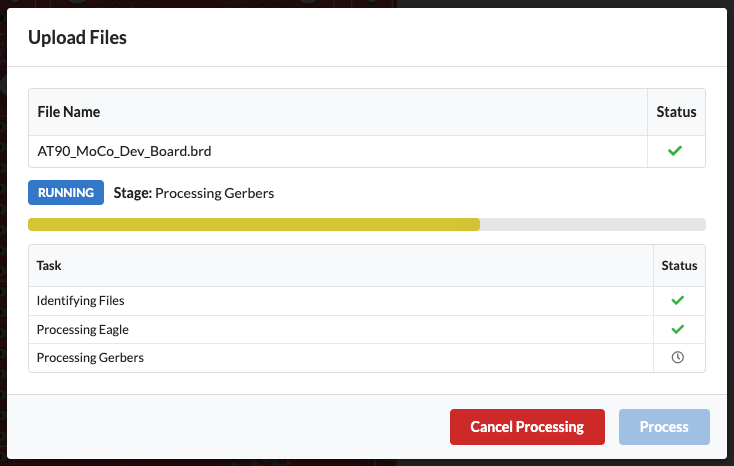
Processing starts immediately identifying file types, parsing Eagle or KiCad exports, and extracting Gerbers. The whole thing typically takes 10–20 seconds. Nothing changes in your project yet. Processing is fully read-only. Your existing design is untouched until you explicitly confirm the import at the end. You can cancel at any time with no side effects.